
AI Baidu COM Creativity Imageeditor
Rate this Tool
Average Score
Total Votes
Select your score (1-10):
Detail Information
What
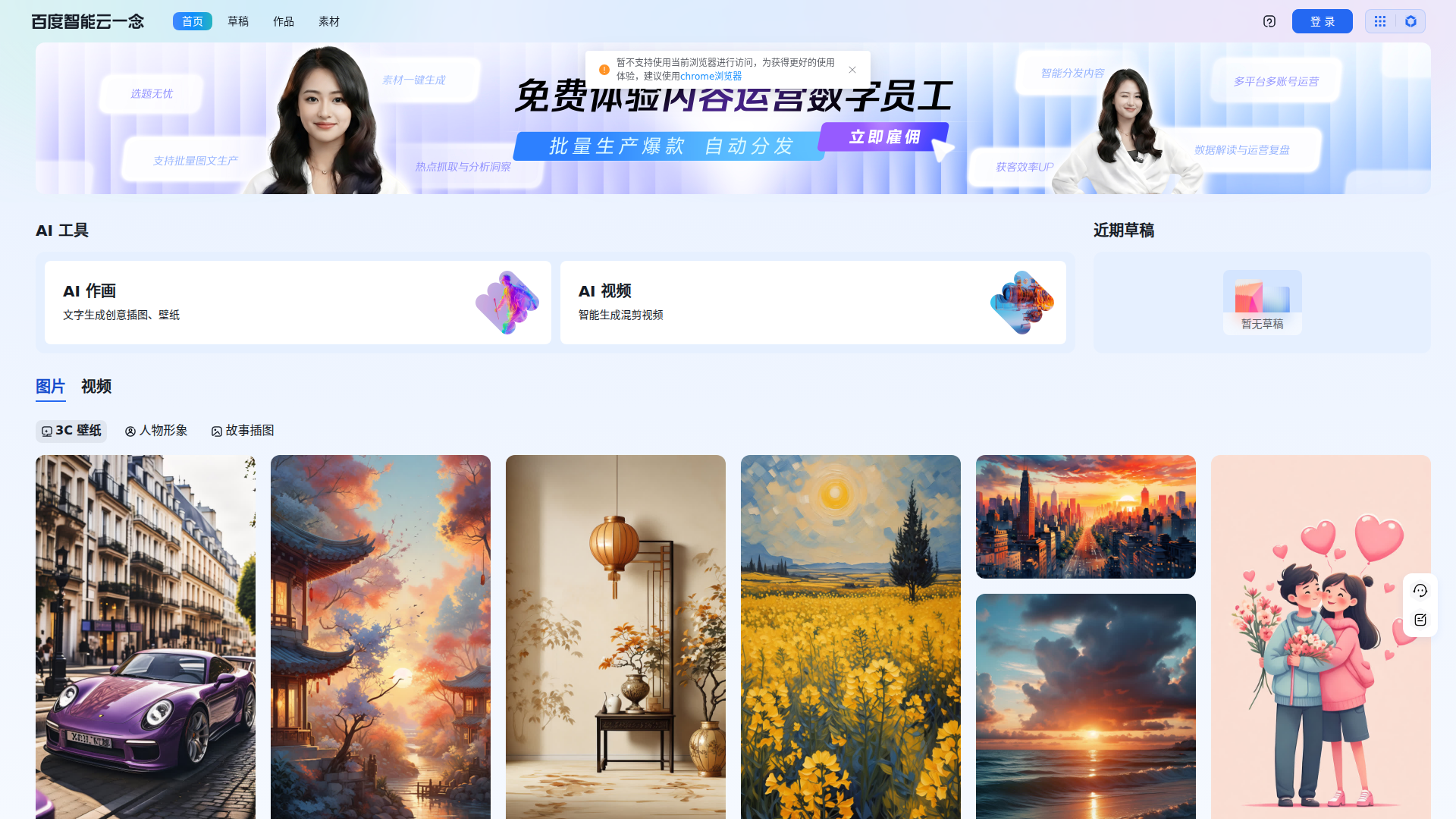
百度智能云一念 · 智能创作平台 appears to be an AI content creation workspace focused on visual generation. Based on the page content, it supports AI image creation from text prompts and includes adjacent AI tool categories such as creative illustration, wallpapers, and AI video generation or remixing.
The interface suggests it serves marketers, designers, content teams, and general business users who need draft assets quickly. Its core workflow appears to be entering a prompt, generating visual outputs, reviewing similar creations, and managing drafts or materials in one workspace. From the surrounding Baidu Intelligent Cloud product navigation, it is likely positioned as part of a broader enterprise AI productivity suite, although the page shown is centered mainly on creative generation.
Features
- Text-to-image creation: Users can generate images from natural-language prompts, which helps turn rough concepts into visual drafts quickly.
- Multiple visual styles and subjects: The examples cover illustrations, wallpapers, landscapes, characters, interiors, and stylized art, indicating broad prompt coverage for different creative needs.
- AI video section: The page references AI video and intelligent mixed-edit generation, suggesting support for video-related creation workflows, though detailed capabilities are not shown on this page.
- Draft management: The interface includes recent drafts and a draft area, which is useful for iterating on creative work without losing in-progress assets.
- Material upload and save actions: Visible upload and save controls indicate basic asset handling inside the workspace.
- Similar creation workflow: The “创作相似” option suggests users can generate variations from existing outputs, which can speed up concept exploration and versioning.
Helpful Tips
- Validate modality coverage before rollout: The page clearly shows image generation, but video functionality is mentioned only at a high level, so teams should verify the exact video workflow and output controls.
- Use prompt templates for consistency: Because the examples are prompt-driven and style-rich, standardized prompt patterns will likely improve repeatability across campaigns or design batches.
- Plan review rules for brand use: Teams using AI-generated visuals for marketing should define internal checks for style, accuracy, and brand fit before publishing.
- Test browser and workflow compatibility early: The page explicitly notes that the current browser is not supported and recommends Chrome for a better experience.
- Assess collaboration needs separately: Draft and asset controls are visible, but the page does not confirm approval flows, role permissions, or enterprise collaboration features.
OpenClaw Skills
Within the OpenClaw ecosystem, this product could likely support skills focused on creative brief translation, prompt generation, and asset production workflows. An OpenClaw agent could take a campaign objective, audience, channel, and visual style requirements, then produce structured prompts for 一念, organize resulting images by use case, and route selected assets into downstream content operations. This is a likely use case rather than a confirmed native integration, since the page does not specify APIs or connectors.
A broader OpenClaw workflow could combine 一念 with planning, knowledge, and review agents to create a semi-automated marketing studio. For example, a brand team could use one agent to extract creative requirements from a product launch brief, another to generate image prompt variants for different audiences, and a third to score outputs against tone and brand rules. In creative and marketing functions, that combination could reduce manual prompt writing, shorten concept iteration cycles, and make AI-assisted asset creation more operationalized across teams.
Embed Code
Share this AI tool on your website or blog by copying and pasting the code below. The embedded widget will automatically update with the latest information.
<iframe src="https://www.aimyflow.com/ai/ai-baidu-com-creativity-imageEditor/embed" width="100%" height="400" frameborder="0"></iframe>