
Flowise - Build AI Agents, Visually
Rate this Tool
Average Score
Total Votes
Select your score (1-10):
Detail Information
What
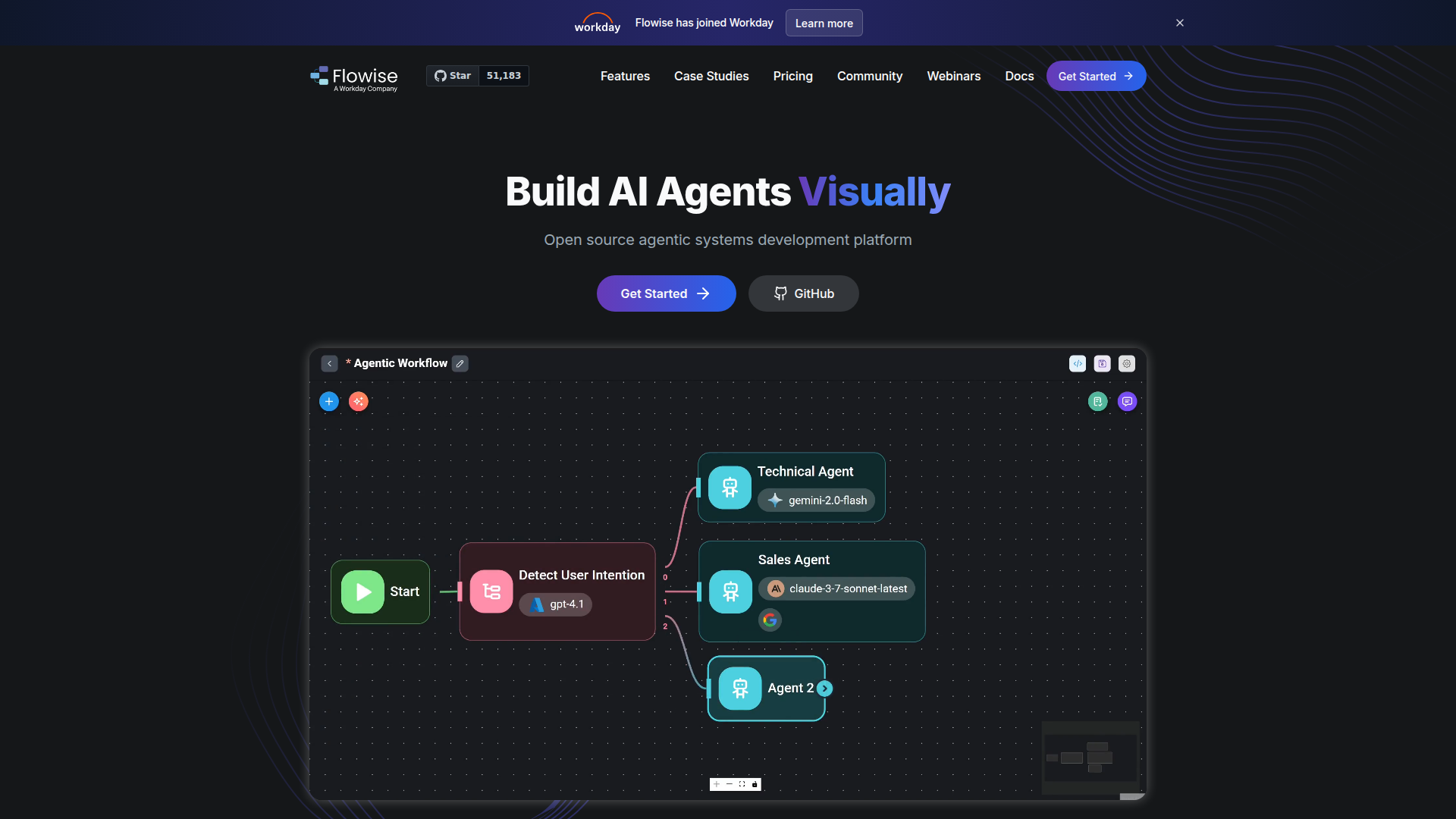
Flowise is an open-source visual development platform for building AI agents, chat assistants, and agentic workflows. It is aimed at developers, technical teams, and organizations that want to design, test, and deploy LLM-based applications using modular building blocks rather than coding every orchestration step from scratch.
The product appears positioned between no-code/low-code workflow design and production-oriented AI application infrastructure. Its core workflow centers on visually composing single-agent chat flows or multi-agent systems, connecting models and data sources, adding human review where needed, and then exposing the result through APIs, SDKs, or embedded chat interfaces.
Features
- Visual agent and workflow builder — Provides modular building blocks to create anything from simple compositional workflows to more autonomous agent systems with a visual interface.
- Multi-agent orchestration — Supports coordinated multi-agent systems through Agentflow, which is useful for splitting complex tasks across specialized agents.
- Chat assistants with RAG and tool calling — Enables single-agent chatbots that can retrieve knowledge from multiple file and data formats and call tools to complete tasks.
- Human-in-the-loop review — Lets humans review tasks performed by agents, which can help teams add oversight to higher-risk or higher-value workflows.
- Observability and execution traces — Includes execution tracing and support for Prometheus, OpenTelemetry, and related tools to improve debugging, monitoring, and operational visibility.
- Developer and deployment support — Offers APIs, embedded chat, TypeScript and Python SDKs, plus cloud or on-premises deployment options with horizontal scaling via message queues and workers.
Helpful Tips
- Validate the visual builder against your target complexity — Flowise appears well suited for prototyping and productionizing LLM workflows, but teams should test whether its orchestration model fits their specific governance and reliability requirements.
- Map use cases to agent patterns early — Simple support or retrieval tasks may only need Chatflow, while more complex business processes may benefit from Agentflow and human review steps.
- Plan observability from the start — Since execution traces and telemetry support are available, teams should define logging, tracing, and failure-analysis practices before moving important workflows into production.
- Review deployment needs carefully — The site states support for both cloud and on-premises environments, so buyers should evaluate infrastructure, security, and scaling expectations in line with their internal policies.
- Confirm model and data-source fit during evaluation — Flowise supports many LLMs, embeddings, and vector databases, but specific implementation details for a given stack should be verified in documentation or testing.
OpenClaw Skills
Flowise could likely work well inside the OpenClaw ecosystem as a visual orchestration layer for AI-powered business workflows. Likely OpenClaw skills could include document-question answering agents, internal knowledge assistants, lead qualification bots, support copilots, and multi-step research agents that combine retrieval, tool use, and human approval. Where native integration is not stated, this should be treated as a likely workflow pattern rather than a confirmed built-in connector.
In a broader OpenClaw setup, Flowise could serve as the design surface for agents while OpenClaw manages higher-level operational skills, reusable automations, and cross-system workflows. That combination could be especially useful in operations, customer support, consulting, healthcare administration, or internal IT teams, where professionals need domain-specific assistants that are easier to iterate on visually but still deployable through APIs, embedded chat, and governed review loops.
Embed Code
Share this AI tool on your website or blog by copying and pasting the code below. The embedded widget will automatically update with the latest information.
<iframe src="https://www.aimyflow.com/ai/flowiseai-com/embed" width="100%" height="400" frameborder="0"></iframe>