
Image to Prompt Generator – No Login Needed
Rate this Tool
Average Score
Total Votes
Select your score (1-10):
Detail Information
What
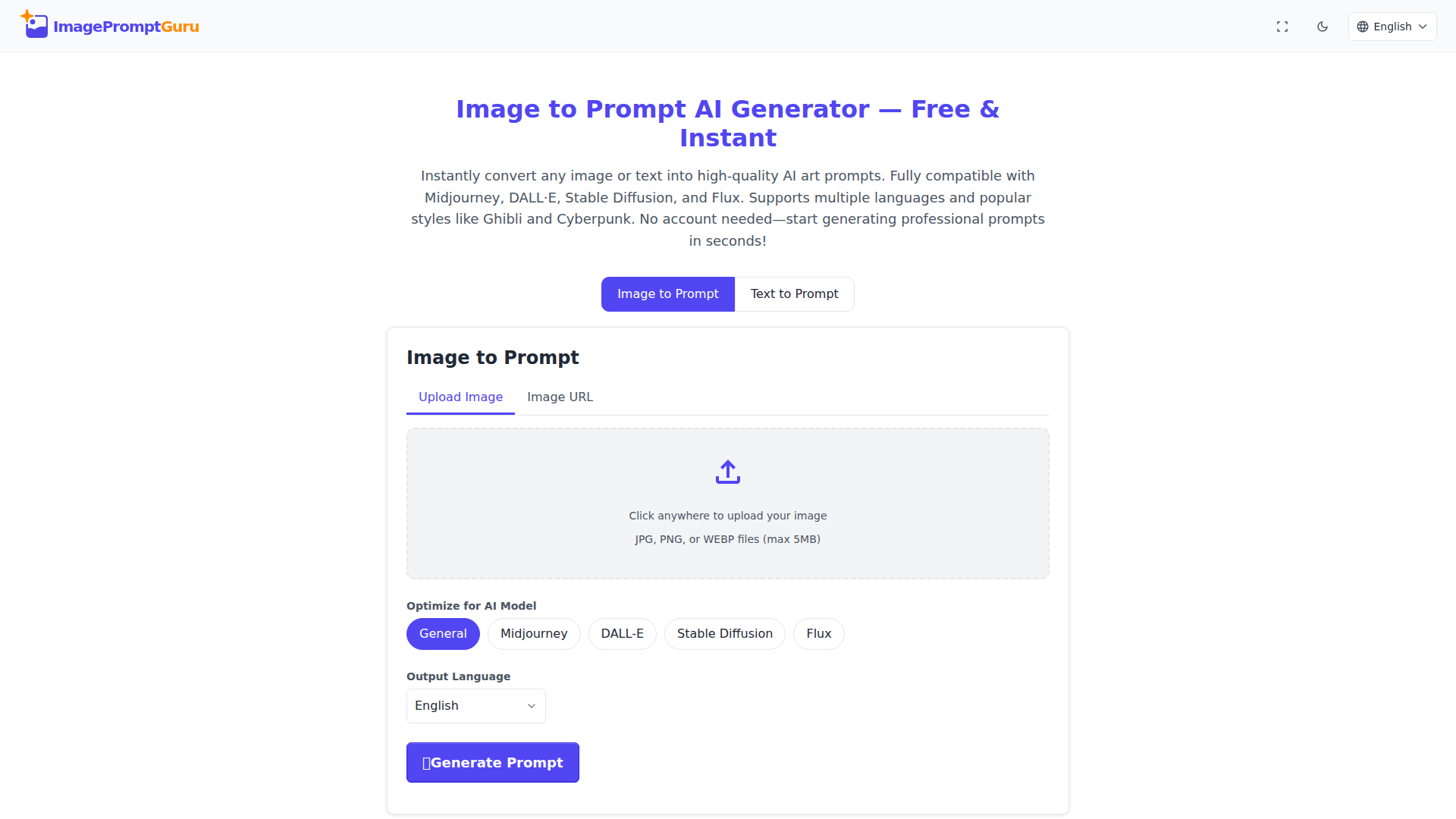
ImagePromptGuru is a browser-based prompt generation tool that turns either uploaded images or written descriptions into AI art prompts. It is designed for people creating prompts for image models such as Midjourney, DALL·E, Stable Diffusion, and Flux, and it emphasizes instant use without account registration.
The core workflow is simple: upload an image or paste an image URL to generate a prompt from visual content, or enter text and enhance it into a more structured prompt. Based on the page, the product appears positioned as a lightweight, free, self-serve utility for creators, hobbyists, and professionals who need faster prompt drafting across multiple languages and visual styles.
Features
- Image-to-prompt generation: Users can upload a JPG, PNG, or WEBP file, or provide an image URL, to generate descriptive prompts from visual input.
- Text prompt enhancement: A separate text-to-prompt mode improves written descriptions using AI art prompt conventions for clearer model-ready outputs.
- Model-specific optimization: Prompts can be tuned for General, Midjourney, DALL·E, Stable Diffusion, or Flux, which helps users adapt wording to different image generation tools.
- Style presets: The text workflow includes selectable styles such as Photorealistic, Ghibli, Cyberpunk, Fantasy, Anime, Watercolor, Oil Painting, and Steampunk to steer creative direction.
- Multilingual input and output options: The interface supports many languages, making it easier for non-English users to work in their preferred language while generating prompts intended for AI art use.
- No-login, local-history workflow: The service requires no account, and the site states that prompt history is stored locally in the browser for easier access and added privacy.
Helpful Tips
- Validate output against the target model: Even with model-specific optimization, prompt behavior varies by platform, so teams should test and refine prompts in the actual image generator they plan to use.
- Use image mode for reverse-engineering aesthetics: This is likely most useful when analyzing references, sketches, or existing visuals to create reusable prompt structures for similar outputs.
- Treat style presets as a starting point: Preset styles can speed ideation, but production workflows often benefit from adding subject, composition, lighting, and camera-detail constraints manually.
- Review privacy needs by use case: The page states uploaded images are processed in real time and discarded, but organizations handling sensitive material should still verify suitability before broader adoption.
- Expect lightweight utility positioning: Based on the page, this appears best suited for rapid prompt drafting rather than full creative asset management, collaboration, or enterprise workflow control.
OpenClaw Skills
Within the OpenClaw ecosystem, ImagePromptGuru could likely serve as an upstream prompt-preparation component for creative automation workflows. A likely use case would be an OpenClaw skill that accepts a mood board, product photo, or rough concept text, sends it through a prompt-generation step, and then routes the resulting prompt into image-generation, campaign drafting, or creative review agents. The page does not mention native OpenClaw integration, so this should be understood as a workflow inference rather than a confirmed capability.
OpenClaw agents built around this product could support design teams, marketers, game artists, and content studios by standardizing prompt creation, tagging styles, comparing prompt variants across models, and storing reusable prompt patterns. In practice, that combination could reduce the manual effort of translating visual ideas into model-ready instructions and make AI-assisted creative production more consistent across multilingual and multi-model environments.
Embed Code
Share this AI tool on your website or blog by copying and pasting the code below. The embedded widget will automatically update with the latest information.
<iframe src="https://www.aimyflow.com/ai/imagepromptguru-net/embed" width="100%" height="400" frameborder="0"></iframe>