
Tome App AI – Tome AI - Tome AI Presentation Maker
Rate this Tool
Average Score
Total Votes
Select your score (1-10):
Detail Information
What
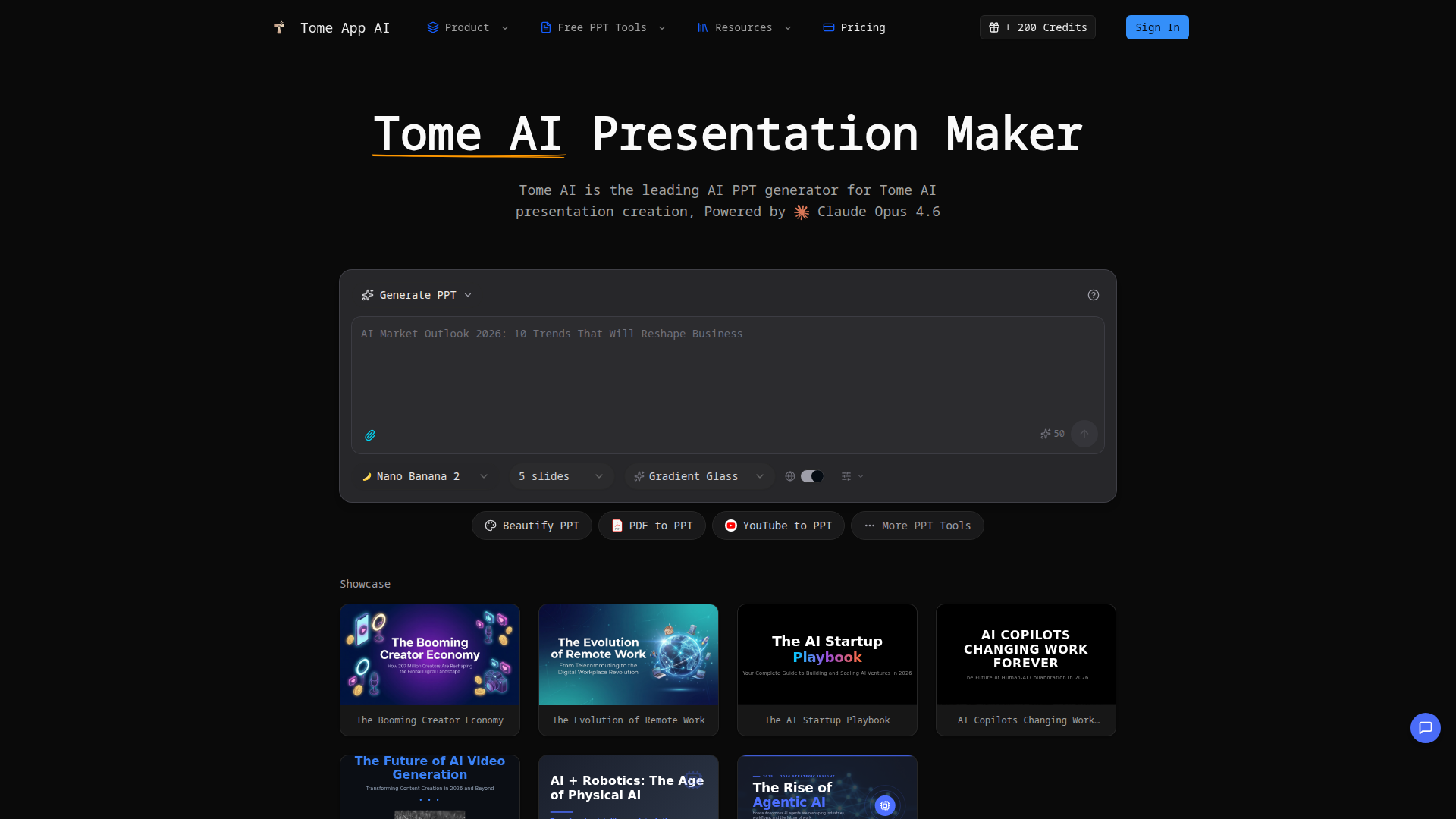
Tome App AI is an AI presentation maker focused on creating, improving, and converting PowerPoint-style slide decks. Based on the page, it serves business users, educators, content creators, and likely other professionals who need to turn topics, notes, documents, videos, or existing presentations into structured slides with less manual design work.
The core workflow is straightforward: users either describe a topic, upload source material, or provide an existing deck; the product then generates slides, applies layouts and styling, and supports browser-based preview, editing, and export to PPTX. Its positioning appears to be a broad AI PPT productivity tool rather than a narrow design app, with emphasis on generation, beautification, format conversion, and presentation delivery support.
Features
- Text-to-presentation generation — Users can describe a topic in plain text and the tool generates a complete slide deck with structure, content, and layouts.
- Presentation beautification — Existing slide decks can be uploaded for redesign, layout fixes, and more polished visual styling.
- Speaker notes creation — The product can generate speaker notes and talking points for slides to support presentation delivery.
- Browser preview and editing — Presentations can be reviewed and edited in real time before export, which reduces back-and-forth in separate editing tools.
- File and content conversion tools — The site lists conversions such as PDF to PPT, Word to PPT, HTML to PPT, Text to PPT, YouTube to PPT, and Excel to PPT, extending the product beyond prompt-based generation.
- PPTX export and multilingual support — Generated decks can be exported as PowerPoint files, and the page states support for creating presentations in multiple languages.
Helpful Tips
- Validate generated content before sharing — AI-generated structure and speaker notes can save time, but factual accuracy, tone, and slide emphasis should still be reviewed by a subject-matter owner.
- Use source material strategically — Tools like PDF-to-PPT or YouTube-to-PPT are most useful when the source is already well organized; messy inputs often still need human cleanup.
- Test export fidelity in your target tool — Even when PPTX export is supported, teams should check fonts, charts, and layouts in PowerPoint, Google Slides, or Keynote before standardizing on the workflow.
- Define brand rules outside the tool if needed — The page mentions professional design and consistent branding, but it does not provide detailed governance controls, so enterprises may need an internal review step.
- Compare workflow breadth, not just slide quality — For teams evaluating AI presentation tools, the strongest differentiator here is likely the combination of generation, beautification, conversion, and speaker-note support in one product.
OpenClaw Skills
Within the OpenClaw ecosystem, Tome App AI could likely support several presentation-centered skills and agents, even though the page does not describe a native OpenClaw integration. Likely use cases include an agent that turns research briefs, meeting notes, CRM summaries, product requirements, or webinar transcripts into first-draft executive decks; another that audits uploaded presentations and recommends beautification or reverse-prompt workflows; and a delivery-prep skill that generates speaker notes tailored to different audiences.
Combined with OpenClaw orchestration, this kind of product could help sales, marketing, consulting, education, and internal operations teams move from raw information to presentation-ready outputs faster. A likely higher-value workflow would be an end-to-end “brief to board deck” or “campaign report to client presentation” pipeline: OpenClaw gathers and structures source inputs, Tome App AI generates and formats slides, and downstream OpenClaw agents review messaging consistency, localize content, or adapt the same deck for different stakeholder groups.
Embed Code
Share this AI tool on your website or blog by copying and pasting the code below. The embedded widget will automatically update with the latest information.
<iframe src="https://www.aimyflow.com/ai/tomeapp-ai/embed" width="100%" height="400" frameborder="0"></iframe>