UniFab Studio: One-Stop Professional AI Video Enhancer
Rate this Tool
Average Score
Total Votes
Select your score (1-10):
Detail Information
What
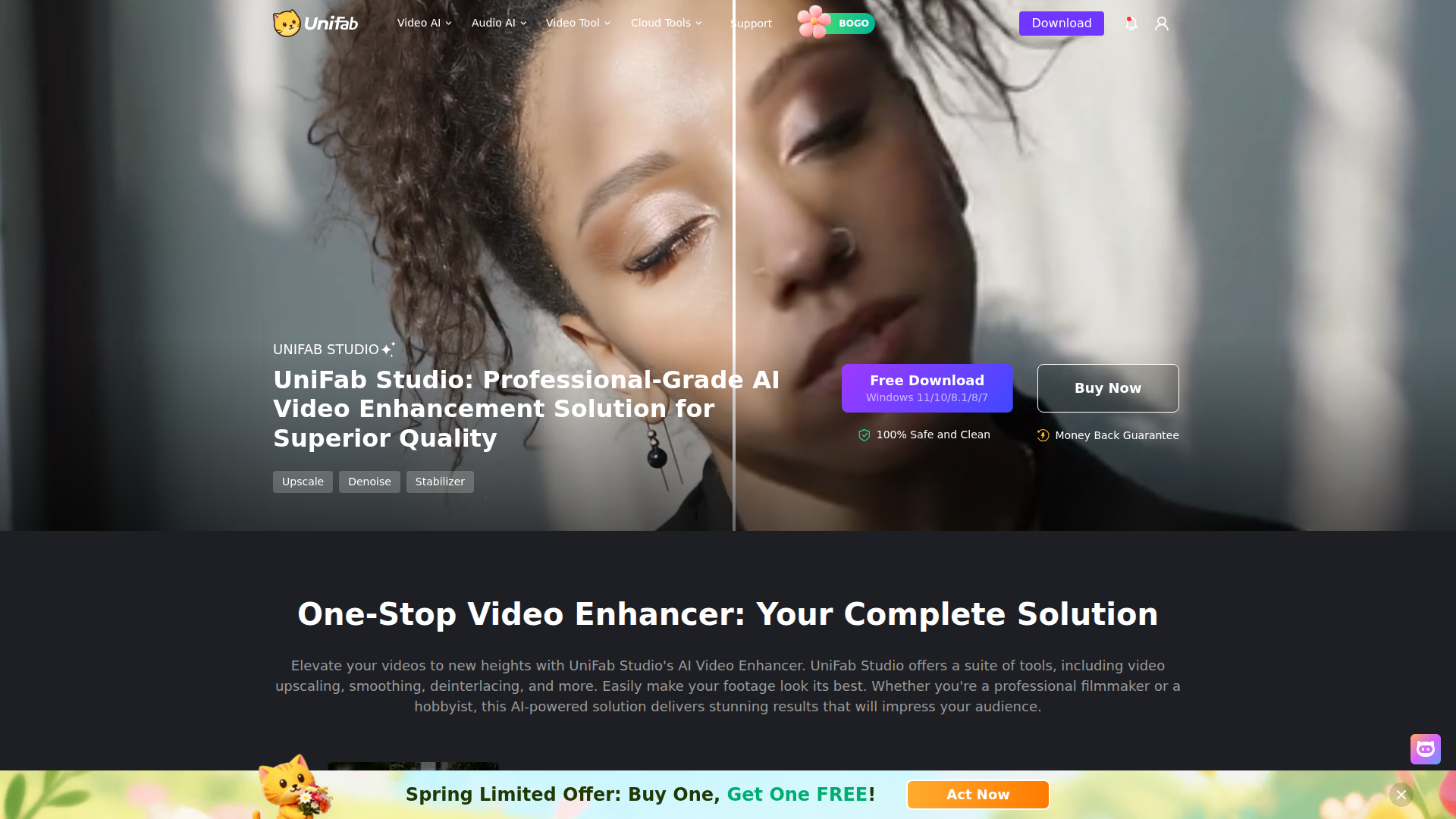
UniFab Studio is desktop software for AI-assisted video enhancement. Based on the page, it is aimed at video professionals and advanced hobbyists who need to improve footage quality through a multi-step workflow that can combine upscaling, SDR-to-HDR conversion, frame-rate smoothing, denoising, deinterlacing, stabilization, and face enhancement.
Its positioning appears to be a more workflow-focused and quality-oriented product within the UniFab lineup, distinct from the broader UniFab All-In-One suite. The page emphasizes sequential processing on a single video, stepless parameter adjustment, batch project management, GPU acceleration, and support for Windows systems.
Features
- Sequential multi-step enhancement workflow: Lets users apply several enhancement processes on one video in sequence, which is useful for building a consistent restoration or quality-improvement pipeline.
- AI video upscaling to 4K or 8K: Enhances lower-resolution footage with AI-based detail reconstruction, including separate enhancement models and facial-detail improvement during upscaling.
- SDR to HDR and Dolby Vision conversion: Converts standard dynamic range video into HDR formats to improve brightness, contrast, and color presentation where supported by the source workflow.
- Frame-rate conversion up to 120 FPS: Increases motion smoothness for action-heavy footage, with stated output options including 30, 60, and 120 FPS.
- Noise reduction, deinterlacing, and stabilization: Helps clean grainy video, restore interlaced footage for modern displays, and reduce visible camera shake with one-click stabilization.
- Batch processing and project management: Supports handling multiple videos and organizing work by project, which can help streamline repeated enhancement tasks.
Helpful Tips
- Validate hardware fit early: The page recommends Windows 10 or 11, at least 16 GB RAM, and an Nvidia RTX 30 series GPU with 8 GB VRAM for best results, so performance planning matters for production use.
- Use trial runs on representative footage: Since enhancement quality can vary by source material, testing low-light, interlaced, archival, and fast-motion clips is a practical way to assess real workflow value.
- Treat HDR conversion carefully in delivery workflows: SDR-to-HDR upgrades can improve visual impact, but teams should confirm display targets and review color consistency before final export.
- Plan enhancement order deliberately: For tools like this, the sequence of denoising, stabilization, deinterlacing, smoothing, and upscaling can materially affect output quality, so standardized presets or internal SOPs are useful.
- Separate confirmed features from broader suite features: The page compares UniFab Studio with UniFab All-In-One, so buyers should verify whether they need the dedicated enhancement workflow or the wider standalone-tool suite.
OpenClaw Skills
Within the OpenClaw ecosystem, UniFab Studio would likely fit best as the execution layer in a media-processing workflow. An OpenClaw skill could intake footage, inspect resolution, frame rate, interlacing, shake, and noise patterns, then recommend or orchestrate a likely enhancement sequence such as deinterlace → denoise → stabilize → upscale → HDR conversion. The page does not state a native OpenClaw integration, so this is a likely workflow concept rather than a confirmed capability.
This combination could be especially useful for video agencies, archivists, sports-content teams, and creator operations. OpenClaw agents could manage job intake, classify footage types, generate processing checklists, route batches by project, and track review status, while UniFab Studio handles the actual enhancement work. In practice, that could turn a manual editor-led cleanup process into a more standardized and semi-automated media-operations pipeline.
Embed Code
Share this AI tool on your website or blog by copying and pasting the code below. The embedded widget will automatically update with the latest information.
<iframe src="https://aimyflow.com/ai/unifab-ai-unifab-studio-htm/embed" width="100%" height="400" frameborder="0"></iframe>