How AI fits this role
Art and Design Workers in the Age of AI
Role Overview
Art and design workers span a wide occupational band — graphic designers, illustrators, art directors, UX/UI designers, motion graphics artists, packaging designers, and visual brand specialists. In commercial contexts, the highest-volume segment is graphic and visual communication design: the people who produce brand assets, marketing collateral, digital advertising, editorial illustration, and product packaging at scale.
These professionals operate at the intersection of aesthetic judgment, client communication, and production execution. A mid-career graphic designer at an agency might spend their week concepting a campaign, presenting to a client, revising based on feedback, preparing print-ready files, and briefing a production team — all while managing version control across a dozen asset variants. The work is simultaneously creative and deeply operational.
The industry environment is characterized by high output volume, compressed timelines, and clients who increasingly expect near-instant iteration. In-house design teams at consumer brands, e-commerce companies, and media organizations face particular pressure: marketing cycles have accelerated, channel proliferation has multiplied asset requirements, and headcount has not kept pace.
How AI Is Transforming This Role
The transformation is not arriving as a single disruptive event. It is accumulating through incremental workflow changes that, taken together, are restructuring what design work actually looks like day to day.
The most immediate shift is in the production layer. Tasks that once consumed 30–60% of a designer's time — resizing assets for multiple formats, removing backgrounds, generating layout variations, creating placeholder imagery for mockups — are now handled in seconds by tools embedded directly in Adobe Creative Suite, Figma, and Canva. This compression of production time is real and measurable.
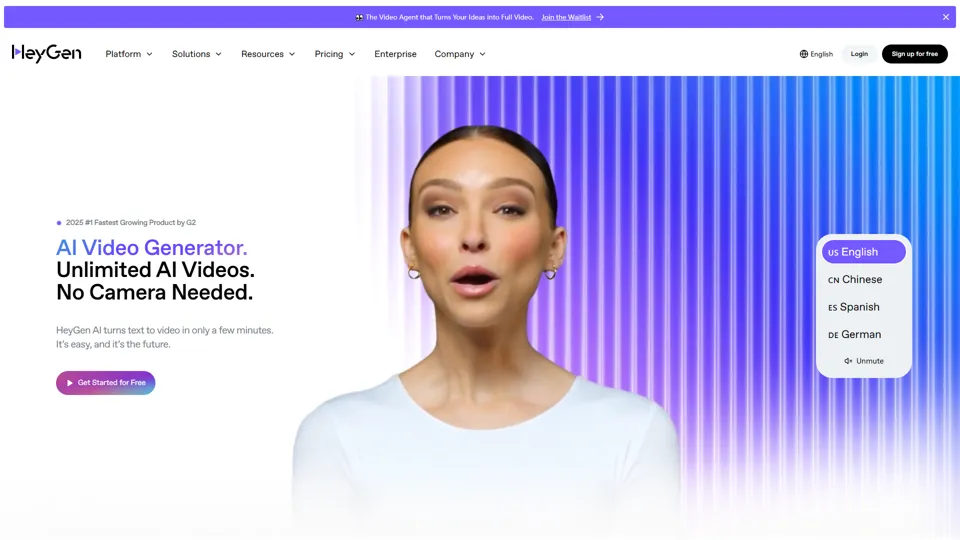
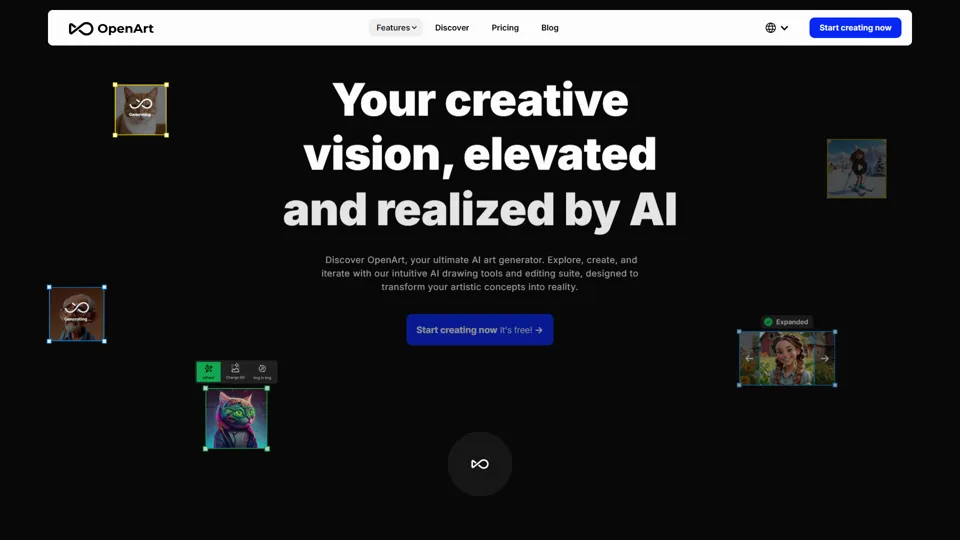
The second shift is in ideation velocity. Generative image tools (Midjourney, Adobe Firefly, Stable Diffusion with ControlNet) allow designers to produce dozens of visual directions in the time it previously took to sketch three. This changes the nature of client presentations: instead of showing two or three polished concepts, teams can show eight rough directions and use client reactions to narrow faster. The creative conversation moves earlier in the process.
The third shift — still emerging but commercially significant — is in brief-to-asset pipelines. Platforms like Jasper, Pencil, and in-house tools at large advertisers are beginning to automate the full journey from a marketing brief to a deployable ad creative, with AI handling copy, image generation, and format adaptation simultaneously. Human designers in these pipelines are shifting from producers to reviewers and quality controllers.
What has not changed: the judgment required to know when a visual direction is wrong for a brand, the relational work of understanding what a client actually wants versus what they say they want, and the strategic thinking that connects visual decisions to business outcomes.
Tasks AI Can Automate
- Background removal and image masking — now near-instantaneous in Photoshop and standalone tools like Remove.bg
- Asset resizing and format adaptation — automated across channel specs (social, display, print) via tools like Smartly.io and Adobe Express
- Layout generation from templates — Canva's Magic Design, Adobe's generative layout features, and Figma plugins can produce on-brand layout variants at scale
- Placeholder and mood board imagery — generative tools replace stock photo searches and rough sketch phases for internal alignment
- Color palette extraction and application — AI-assisted brand consistency tools apply palette rules across asset libraries automatically
- Copy-to-visual translation — tools like Midjourney and Firefly can interpret a text brief into visual concepts, compressing early ideation
- Retouching and image cleanup — generative fill, object removal, and skin retouching are now largely automated in Photoshop
- Font pairing suggestions — AI-assisted typography tools reduce time spent on typographic exploration
- Accessibility checks — automated contrast ratio and readability analysis embedded in design tools
- Version management and export — automated export pipelines handle file naming, format conversion, and delivery to DAM systems
Skills Becoming More Valuable
Visual judgment and brand stewardship. As AI floods the market with competent-looking imagery, the ability to distinguish work that is merely acceptable from work that is genuinely right for a brand becomes a scarcer and more valued skill. Art directors who can articulate why something is off-brand — and redirect AI output accordingly — are more valuable, not less.
Prompt engineering and AI art direction. Getting useful output from generative tools requires the same visual literacy as traditional art direction, plus a new layer of technical fluency. Designers who can write precise, effective prompts and iterate systematically produce better results faster than those who treat AI tools as black boxes.
Systems thinking and design operations. As design teams manage larger asset libraries and more complex multi-channel campaigns, the ability to build scalable design systems — component libraries, token-based styling, automated production pipelines — is increasingly central to senior design roles.
Client and stakeholder communication. The relational and interpretive work of understanding a client's actual needs, managing feedback, and building trust cannot be automated. Designers who are strong communicators are better positioned as production tasks commoditize.
Motion and interactive design. Demand for animated and interactive content continues to outpace supply. Motion graphics, micro-interactions, and video-first social content require skills that current AI tools handle poorly.
Cross-functional fluency. Designers who understand marketing strategy, product development, or brand management can operate as strategic partners rather than production resources — a positioning that is increasingly important as pure production work gets automated.
Skills Becoming Less Important
- Manual image retouching and compositing — generative fill and AI retouching handle the majority of common retouching tasks
- Stock photo curation — generative imagery is replacing stock searches for many commercial applications
- Mechanical layout production — resizing, reformatting, and adapting existing designs for new specs is largely automated
- Basic icon and asset creation — simple vector assets and UI icons are increasingly generated or sourced from AI-assisted libraries
- Rote template customization — swapping out text and images in templated layouts is now handled by non-designers using AI-assisted tools
- Manual color correction — AI-assisted color grading in Lightroom, Photoshop, and video tools handles routine correction automatically
- Isolated software proficiency — knowing Photoshop or Illustrator as a standalone skill is less differentiating; tool fluency is now table stakes
Current AI Adoption in This Industry
Adoption is uneven but accelerating. The clearest leading indicators:
In-house teams at e-commerce and DTC brands are the heaviest early adopters. Companies running high-volume paid social campaigns — where a single campaign might require 50–100 creative variants — have the strongest economic incentive to automate production. Tools like Smartly.io, Pencil, and AdCreative.ai are in active use at mid-market and enterprise DTC brands.
Advertising agencies are in a more complicated position. Large holding company agencies (WPP, Publicis, Omnicom) have made significant AI investments and are building proprietary tools, but adoption at the team level is inconsistent. Junior production roles are being reduced; senior creative roles are being repositioned around AI oversight.
Freelance and independent designers are adopting generative tools rapidly for competitive reasons — clients expect faster turnaround and more concept options. Midjourney and Adobe Firefly are the most commonly cited tools in professional design communities.
Print and packaging design is adopting more slowly, partly because of the precision requirements of print production and partly because brand owners in CPG are cautious about AI-generated imagery on physical products. Adoption is concentrated in the ideation phase rather than final production.
UX/UI design is seeing AI integration primarily through tools like Figma's AI features, Uizard, and Galileo AI, which can generate wireframes and UI components from text descriptions. The impact on junior UX roles is beginning to be felt.
Future Workflow Evolution
The design workflow of 2027 will look structurally different from 2022, even if the underlying creative judgment required remains similar.
Brief intake to concept presentation will compress from days to hours. AI tools will generate initial visual directions from a brief automatically; the designer's role in this phase shifts to curation, refinement, and strategic framing rather than generation.
Production and adaptation will be almost entirely automated for standard formats. A designer who approves a master asset will trigger an automated pipeline that produces all required channel variants, applies brand tokens, checks accessibility, and delivers to the DAM — without manual intervention.
Client feedback loops will become faster and more iterative. Real-time generative revision — where a client's verbal feedback is translated into visual changes during a meeting — is already technically possible and will become standard practice in agency settings.
Quality control and brand governance will become a distinct function. As AI generates more assets, the role of reviewing output for brand consistency, legal compliance, and quality will grow. This is not a creative role in the traditional sense, but it requires deep design knowledge.
Specialization will bifurcate. The market will increasingly reward either deep creative specialization (conceptual art direction, brand strategy, complex illustration) or deep operational specialization (design systems, AI pipeline management, production automation). The generalist production designer role will shrink.
Common AI Use Cases
- Campaign concepting: Using Midjourney or Firefly to generate 8–12 visual directions from a brief before committing to a concept
- Ad creative testing: Generating multiple copy/image combinations for A/B testing in paid social, with AI handling variant production
- Brand asset generation: Creating on-brand imagery for blog posts, social content, and presentations without stock photo licensing
- Packaging mockups: Generating photorealistic product mockups for client presentations before physical samples are produced
- Logo and identity exploration: Using generative tools for early-stage identity exploration (with significant human refinement required)
- Video and motion: AI-assisted video editing (CapCut, Runway) for social-first video content
- Design system maintenance: AI tools that flag inconsistencies in component libraries and suggest token updates
- Competitive visual analysis: AI tools that analyze competitor visual identities and surface differentiation opportunities
Recommended AI Stack
Generative image creation
- Adobe Firefly — best for commercial use cases where IP indemnification matters; deeply integrated into Creative Suite
- Midjourney — highest aesthetic quality for conceptual and editorial work; requires prompt skill
- Stable Diffusion with ControlNet — most flexible for technical users who need precise compositional control
Production automation
- Adobe Generative Fill / Remove.bg — background removal and image cleanup
- Smartly.io / Pencil — automated ad creative production and variant generation
- Canva Magic Design — accessible for non-designer stakeholders; reduces designer involvement in low-stakes asset production
UX and interface design
- Figma AI (native features) — component suggestions, auto-layout, design system enforcement
- Uizard / Galileo AI — wireframe and UI generation from text descriptions
Motion and video
- Runway Gen-2 — video generation and editing for social content
- CapCut — AI-assisted video editing for short-form content
Workflow and operations
- Notion AI / Coda AI — brief documentation, project management, client communication
- Brandfolder / Bynder with AI tagging — DAM systems with automated asset tagging and retrieval
Risks & Challenges
IP and copyright exposure. The legal status of AI-generated imagery trained on copyrighted work remains unresolved in most jurisdictions. Designers and agencies using generative tools for commercial work carry real legal risk, particularly for client-facing deliverables. Adobe Firefly's indemnification policy is currently the clearest commercial safe harbor, but the broader landscape is unsettled.
Brand dilution through over-automation. When AI generates assets at scale without sufficient human oversight, brand consistency degrades. The visual coherence that distinguishes strong brands from generic ones requires judgment that current AI tools do not reliably provide.
Client expectation inflation. As clients become aware of AI's speed capabilities, they increasingly expect faster turnaround and lower costs. This compresses margins for agencies and freelancers without necessarily reducing the actual creative work required.
Junior talent pipeline disruption. Entry-level production roles have historically been how designers develop craft skills and industry knowledge. As those roles are automated, the profession faces a structural question about how the next generation of senior designers develops.
Aesthetic homogenization. Generative tools trained on the same datasets produce recognizable visual signatures. Over-reliance on these tools risks a convergence of visual styles across the industry — a problem that sophisticated clients are already beginning to notice and push back against.
Prompt dependency without visual literacy. Designers who rely on AI generation without developing underlying visual skills may produce work that looks competent but lacks the depth and intentionality that distinguishes strong creative work. This is a professional development risk, not just a quality risk.
Future Outlook (3–5 Years)
The net employment picture for art and design workers is likely to be one of role restructuring rather than mass displacement — but that restructuring will be significant and uneven.
Production-focused roles at the junior and mid level will contract. The volume of work that required a dedicated production designer in 2022 will be handled by automated pipelines or by non-designers using AI-assisted tools by 2027. Agencies and in-house teams are already reducing headcount in these areas.
Senior creative roles — art directors, brand designers, creative directors — will remain in demand, but the nature of the work will shift. More time will be spent directing AI output, managing quality, and operating as a strategic partner to marketing and product teams. Less time will be spent on execution.
New specialist roles will emerge: AI creative directors who manage generative pipelines, design operations engineers who build and maintain automated production systems, and brand governance specialists who audit AI-generated output for consistency and compliance.
The freelance market will bifurcate sharply. Commodity design work (social media graphics, basic marketing collateral, simple illustrations) will be increasingly handled by AI tools or by clients themselves. Freelancers who survive and thrive will be those offering genuine creative differentiation, strategic thinking, or deep technical specialization.
The designers who will be most valuable in 2028 are those who can move fluidly between creative direction, AI tool operation, and strategic communication — treating generative AI as a medium they have mastered rather than a threat they are managing.
Final Insight
The central question for art and design workers is not whether AI will change their work — it already has — but whether they will engage with that change actively or reactively. The designers who are thriving right now are not those who have abandoned craft for prompt engineering, nor those who have refused to engage with generative tools. They are the ones who have integrated AI into their workflow while doubling down on the judgment, communication, and strategic thinking that AI cannot replicate.
The profession is not being replaced. It is being restructured around a higher floor of capability and a narrower definition of what requires human expertise. That is a genuine disruption for many practitioners, particularly those whose value was concentrated in production execution. But for designers who have always understood their work as fundamentally about solving visual communication problems — not just executing files — the tools available today are, by any honest measure, extraordinary.
The risk is not obsolescence. The risk is mistaking fluency with AI tools for creative judgment, and producing work that is technically competent but strategically empty. That distinction — between output that looks right and output that is right — remains entirely human territory.